
Clipse GUI: a GTK window for a terminal clipboard manager
Summary: I built a GTK3 front-end for clipse so I could see image previews and paste without opening a terminal. Most of the work went into getting the paste back into the right window on Wayland and X11.
clipse is a clipboard manager for the terminal, written by savedra1. It runs a listener in the background, keeps your history in a JSON file, and gives you a fast TUI to pick from it.
I like it a lot. What I didn't like was opening a terminal every time I wanted to paste something from five minutes ago, and squinting at a filename when the thing I copied was a screenshot.
So in April 2025 I wrote Clipse GUI, a GTK3 window that sits on top of clipse's history. clipse still does the listening and the storing.
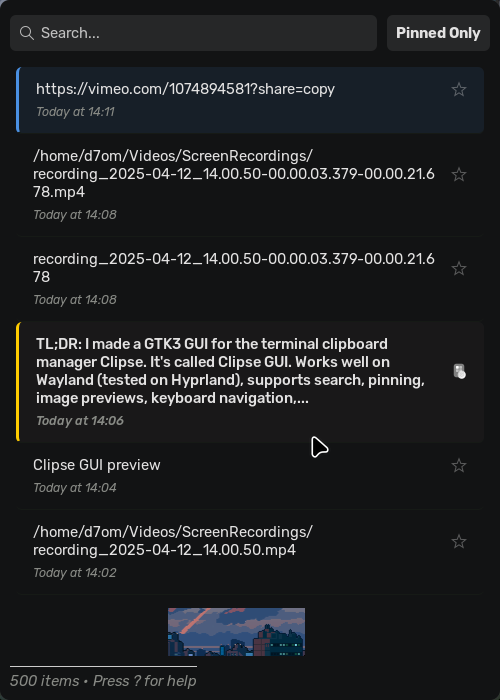
My app reads the same file, shows it as a list with image thumbnails, and gets the item you pick back into whatever you were typing in. That last part turned out to be most of the work.
Reading someone else's data
I don't run my own daemon. clipse writes clipboard_history.json under ~/.config/clipse, and the GUI loads the clipboardHistory array from it, drops anything without a value and a recorded field, and sorts newest first.
Image entries carry a filePath pointing at the file clipse saved.
Noticing new items
Two things follow from sharing a file with another process. First, the window has to notice when clipse adds an item while it's open.
I went with the boring option and poll: every 300 ms, stat the file and reload on a background thread if the mtime or size moved.
if changed and not self.save_pending and not self._reloading:
    self._last_mtime = current_mtime
    self._last_size = current_size
    self._reloading = True
    threading.Thread(target=reload, daemon=True).start()
The save_pending check is there because the GUI writes to the file too. Pinning or deleting an item rewrites the history, and without that guard the watcher would see my own write and reload over it.
Writing without breaking clipse
Second, those writes go to a .temp file, get an fsync, and then os.replace swaps it in, so clipse never reads half a JSON document.
Paste is the hard part
Putting text on the clipboard is easy. Pasting it into the window you came from is harder, because at that moment the GUI is the window with focus.
Copying
The app checks XDG_SESSION_TYPE once at startup.
- Wayland: copying goes through
wl-copy. - X11: it uses
xclip -i -selection clipboard.
Images are piped from the file clipse saved. For wl-copy I add --type with the guessed MIME type so the receiving app gets a PNG and not a blob of bytes.
Faking Ctrl+V
For the paste itself the app fakes a Ctrl+V. The defaults live in settings.ini and you can swap them:
PASTE_SIMULATION_CMD_WAYLAND = config.get(
    "Commands",
    "paste_simulation_cmd_wayland",
    fallback="wtype -M ctrl -P v -p v -m ctrl",
)
PASTE_SIMULATION_CMD_X11 = config.get(
    "Commands",
    "paste_simulation_cmd_x11",
    fallback="xdotool key --clearmodifiers ctrl+v",
)
The order of events
Order matters here. After a successful copy:
- The window hides.
- A timer waits
paste_simulation_delay_ms(150 ms by default) to give focus time to go back where it was. - Only then does
wtypeorxdotoolrun. - The app waits another 200 ms before quitting, because some applications need a moment to actually take the paste.
If the simulation fails, the window comes back with the error in the status bar so you're not left guessing.
Images without freezing the list
Half the reason for a GUI is seeing your screenshots. Decoding a few dozen images on the GTK main thread would stall scrolling.
So thumbnails load on worker threads with GdkPixbuf and are handed back with GLib.idle_add.
Loaded pixbufs go into a small LRU cache (an OrderedDict, 50 entries), and scaling never upscales, so a tiny icon stays tiny.
Keyboard first
The window should be gone again in about two keystrokes. Typing any letter jumps into search, which is fuzzy. Arrow keys move through the list even while the search box has focus.
Entercopies.Shift+Entercopies and pastes.Spaceopens a preview.ppins.xdeletes.Tabshows pinned items only.vswitches to multi-select.
? shows all of it, which is why the footer keeps saying so.
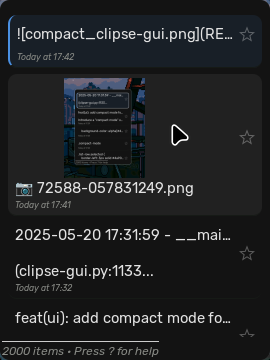
There's also a compact mode for people who bind the window to a hotkey and want it small, and a tray icon with a quick-paste menu.
Themes
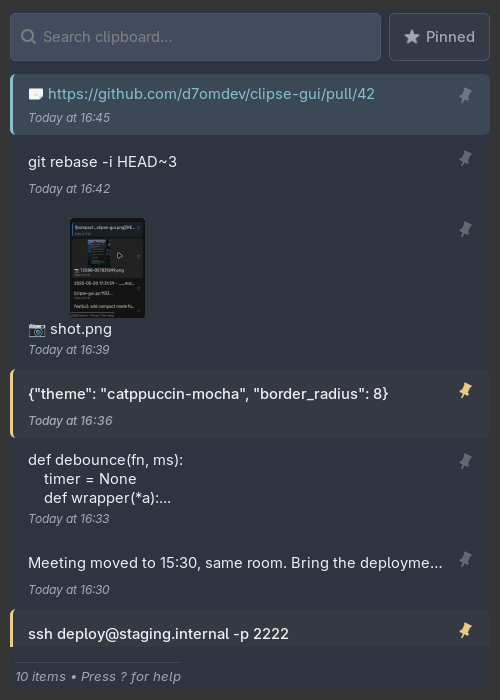
The most recent release, v0.10.0, added eight built-in themes:
- Catppuccin Mocha
- Nord
- Gruvbox Dark
- Dracula
- Tokyo Night
- Rosé Pine
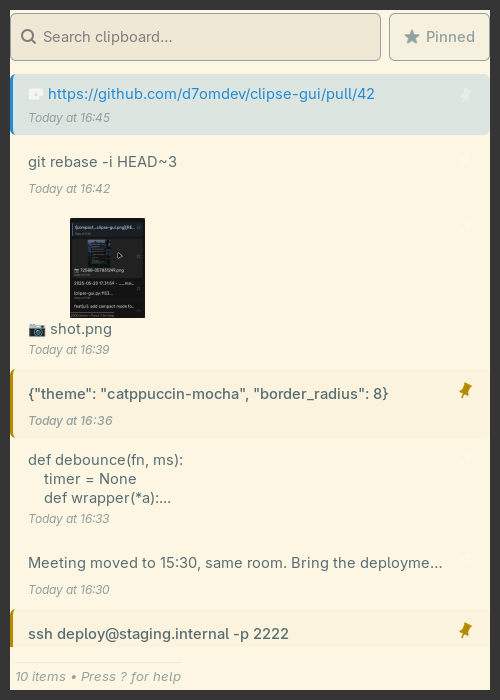
- Solarized Light
- Mono
Adding your own
A theme is a single GTK3 CSS file. The app looks in ~/.config/clipse-gui/themes/ before the bundled ones, so your own file wins on a name clash.
custom.css always loads last for small overrides. clipse-gui --theme nord tries one for a single run without saving it.
Where it is now
It's written in Python with PyGObject and MIT licensed. It's on the AUR as clipse-gui, or you can build it from source with just install.
As of October 2026 the repo has around 80 stars and 16 GitHub releases.
You still need clipse running with clipse -listen; this is a front-end, not a replacement.
If paste doesn't work on your setup, the copy and paste commands are all in settings.ini, so you can swap in whatever your compositor is happy with.


